Advertising
Google Ads setup and management
We show your ads to people who are searching for your service on Google right now. We set up campaigns and lead tracking, cut wasted spend every month and send you a report.
- 1The customer’s search
- 2Your ad
- 3A call or a visit to your site
When Google Ads works
A good fit if
- people search Google for what you offer: “dentist Lviv”, “tyre change near me”, “stretch ceiling price”;
- customers usually call or book right after searching.
Start elsewhere if
- people don’t know your product yet and aren’t searching for it: Meta ads are a better start;
- your site has no prices, form or contact buttons: build a landing page first.
What’s included
What setup and management include
The first two groups are done once, during setup. The third, “Every month”, is part of management.
Before launch
- We check your site: speed, the form, call and messenger buttons
- We set up lead tracking: GA4, the Google Ads tag, conversions from the form, calls and messengers
- We research search terms and negative keywords so you don’t pay for clicks from people who don’t need your service
Campaigns
- Search campaigns for each service
- Ad copy and assets: phone, address, links to your services
- Ads shown in your city or area, during the hours you take bookings
- The Google Ads account is in your name, and the budget is charged to your card
Every month
- We review the searches people clicked on and add negative keywords
- We move budget to the campaigns where leads cost less
- We test new ad copy
- We check that leads are counted correctly
- We send you a report and a plan for next month
Campaign types
- Searchads in results for search terms
- Performance Maxone campaign across Search, Maps, YouTube and partner sites
- Shoppingproducts with a photo and price, for stores
- Remarketingads for people who have visited your site
We pick the format at the brief, based on your service and budget.
Pricing
How we price it
- Setup one-off
- Lead tracking, search terms, campaigns and launch.
- Management monthly
- Search terms, budget, new ads and a monthly report.
We price setup and management after a short brief: it depends on how many services, cities and campaigns you have. The proposal sets out the scope and the fee before we start. You pay the ad budget directly to Google; it isn’t part of our fee.
Get a quote| Level | Who it’s for | What’s included |
|---|---|---|
| Start | One location, a few services, one city | Search campaigns, lead tracking, a monthly report |
| Several cities or lines of business | Branches, several cities, many services | Campaigns by city and line of business, leads tracked per branch |
| Store | Product catalogue | Shopping and Performance Max, product feed, remarketing |
-
If your ads are already running
We start by reviewing the account and lead tracking, then send a list of changes and a proposal for management.
-
If you have a marketer
We can do the setup only and hand management to your team, or run the campaigns under a shared plan. The account, data and report are shared.
Report
What you see every month
Once a month we post a report to the project chat and walk you through the numbers. The account is yours, so you can check everything yourself at any time.
The full process from brief to report is on How we work. Examples of pages we send ads to are in our work.
Report · Google Ads · month
- Ad spend
- Google Ads
- Impressions and clicks
- Google Ads
- Leads: form, calls, messengers
- GA4
- Cost per lead
- spend ÷ leads
- What we changed this month
- list
- Plan for next month
- list
What a page for search ads needs
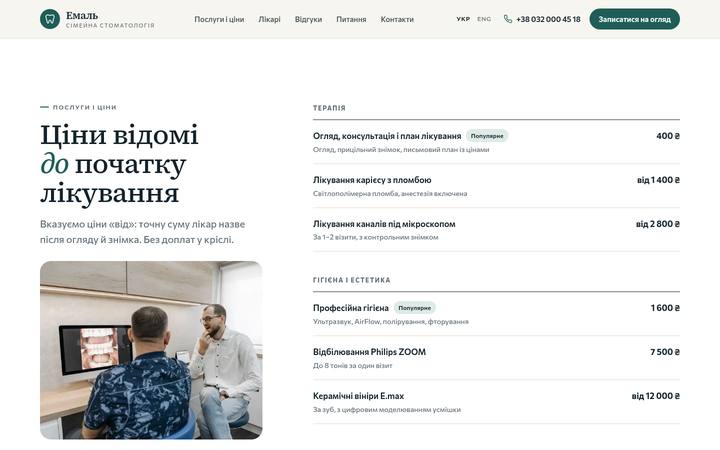
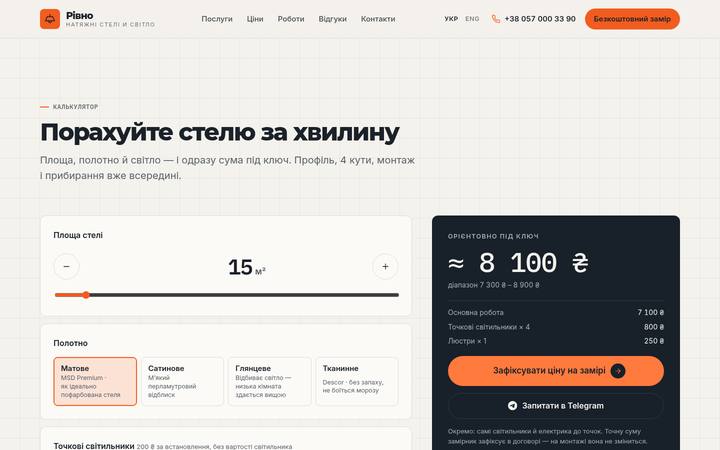
Examples from our work. Someone who searched for a service on Google wants to see the price and call straight away.

- Accounts in your name
- You pay the ad budget directly to Google or Meta
- A report every month
- Cancel any month
Google Ads questions
How big should my ad budget be?
It depends on your niche, city and competitors. During the brief we check what a click costs in your niche and suggest a budget for the first month. You pay it directly to Google with your own card.
Who owns the ad account?
You do. We create the Google Ads account on your email, or join your existing one as managers. If we stop working together, the campaigns and all their history stay with you.
Can you run ads to my current website?
Yes, as long as it has prices, a form or contact buttons and works properly on a phone. We check this before we start. If the site would hold the ads back, we’ll tell you what to change or suggest a landing page.
When will the first leads come in?
Ads start showing once Google has reviewed them. The first month is about finding out which searches bring leads and which only spend money. After that we cut the searches that don’t bring leads and move the budget to the ones that do. We can’t promise a specific cost per lead.
Can I pause the ads?
Yes. You can lower the budget or pause the ads at any time. You can cancel management any month; it stops from the next one.
Do you guarantee leads?
No. The number of leads depends on your budget, competitors, price and site. We make sure the campaigns are set up properly, leads are counted, and the budget isn’t wasted on random clicks.
Let’s discuss your Google Ads
We reply within 15 minutes during working hours and suggest a time for a brief.
Or write to us: [email protected] · Contact page